
Power BI Modeling MCP Semantic Models : How AI Is Changing Semantic Model Development
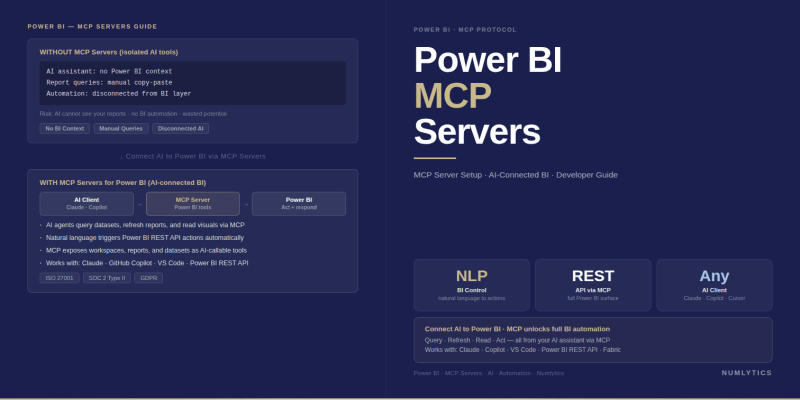
The Power BI Modeling MCP brings AI-assisted development directly into the semantic model authoring workflow transforming how enterprise teams build, review, and govern Power BI models.
Semantic model development has always been the most technically demanding layer of the Power BI delivery pipeline and historically one of the least assisted by AI tooling. While Copilot in Power BI reports has helped business users interact with data, the developers building the underlying semantic models writing DAX measures, designing relationships, structuring TMDL, managing Git history have worked largely without AI support that understands the actual model they are building. The Power BI Modeling MCP changes this directly: it connects AI agents to the live semantic model, giving them real schema context rather than training data assumptions, and transforms the developer experience from template-based suggestion to model-aware intelligent assistance.
What the Modeling MCP Changes for Semantic Model Developers
Before the Modeling MCP, a developer using GitHub Copilot or Claude to help write DAX was working with an AI that had no knowledge of the specific model being built. When asked to write a measure for "Sales Amount YTD", the AI generated a syntactically correct template using plausible measure and table name assumptions, but those assumptions were often wrong. The developer received a starting point that needed manual correction against the actual table names, the actual date dimension structure, and the actual relationship topology of their specific model.
With the Power BI Modeling MCP connected, the same AI agent can first query the model schema reading the actual table names, column names, measure names, relationship definitions, and TMDL structure — and then generate DAX that references those actual objects. The output is not a template; it is a contextually accurate measure draft that the developer can validate and refine rather than rebuild from scratch. For large models with complex measure libraries, this distinction between template-based and model-aware generation is the difference between AI assistance that saves minutes and AI assistance that saves hours.
"The Modeling MCP gives an AI agent the same schema context that a senior Power BI developer carries in their head after working with a model for months. The agent no longer guesses at table names or relationship directions — it reads them."
What the Modeling MCP Exposes to an AI Agent
The Modeling MCP Server exposes the semantic model through a set of tools that an AI agent can call to discover and interact with model content. The core capabilities fall into four categories.
Schema inspection tools allow the agent to enumerate all tables, columns, measures, hierarchies, calculation groups, perspectives, and roles in the model. This gives the agent a complete map of the model's structure before generating any DAX or TMDL content. An agent can call the list-measures tool to enumerate all existing measures, inspect a specific measure's DAX expression and format string, and understand which table it belongs to — all before suggesting a new measure that follows the existing patterns.
TMDL read/write tools allow the agent to read the full TMDL representation of any model object and, where appropriate, propose modifications in TMDL format that the developer can review and apply. This enables the agent to participate in TMDL-first development workflows reading the current TMDL state of a table or measure, generating a proposed modification, and presenting it for developer review before any change is applied.
DAX evaluation tools allow the agent to execute DAX expressions against the connected model in evaluation mode running a proposed measure formula against actual data to verify that it produces the expected result before the developer formally adds it to the model. This closes the test loop that previously required manually pasting the DAX into DAX Studio or creating a temporary measure in the model.
Documentation and metadata tools allow the agent to read and write descriptions on model objects table descriptions, column descriptions, measure descriptions supporting documentation generation workflows that were previously entirely manual.
AI-Powered DAX Authoring: From Context-Free Suggestions to Model-Aware Generation
The most immediately valuable application of the Power BI Modeling MCP for most development teams is model-aware DAX authoring. The workflow is straightforward: the developer describes the measure they need in natural language to the connected AI agent ("write a YTD sales measure using the fiscal calendar that resets on July 1st and uses our existing Sales Amount measure"), the agent queries the model schema to confirm the actual date table name, the date key column, the fiscal year end configuration, and the existing Sales Amount measure definition, then generates DAX that is accurate for this specific model rather than a generic template.
For time intelligence measures specifically where the DAX pattern depends critically on the structure of the date table and the CALCULATE time intelligence function parameters the model-aware generation produces dramatically better first drafts than template-based AI assistance. The agent reads the date table's mark-as-date-table setting, the date key column, and any existing YTD or prior-period measures to understand the established pattern, then generates a new measure that is consistent with those existing patterns rather than introducing a divergent approach.
DAX Pattern Consistency Across Large Measure Libraries
One of the most valuable but least visible benefits of model-aware DAX generation is pattern consistency enforcement. In large enterprise models with 50 to 200 measures authored over time by multiple developers, measure patterns drift: some measures use CALCULATE(SUM(...), FILTER(...)), others use CALCULATE(SUM(...), KEEPFILTERS(...)), with no consistent convention for why. An AI agent connected to the Modeling MCP can inspect the existing measure library, identify the dominant patterns, and generate new measures that follow the established pattern or, asked explicitly, can audit the existing library and flag the inconsistencies for a developer to review and standardise.
TMDL Workflows: AI-Assisted Model Scripting and Review
Tabular Model Definition Language (TMDL) is the text-based format for defining and modifying Power BI semantic model objects measures, tables, relationships, calculation groups, perspectives in a human-readable, version-controllable form. An AI agent connected to the Modeling MCP can read the TMDL representation of any model object, reason about its structure, and propose TMDL modifications that the developer applies through the standard TMDL View in Power BI Desktop or via the TOM SDK.
This makes several previously manual tasks tractable as AI-assisted workflows. A developer who needs to update the display folder structure for 40 measures across six tables can ask the connected agent to generate the TMDL modifications required — the agent reads the current display folder assignments, understands the intended new structure, and produces the TMDL that achieves it. The developer reviews the diff, applies it, and validates the result. What was a 40-step GUI operation or a complex TOM scripting task becomes a reviewed TMDL change generated in seconds.
Similarly, bulk property updates setting IsHidden on all columns not used by any measure or report visual, applying format strings consistently across all measures of a given type, updating descriptions on all measures that currently have empty descriptions are naturally expressed as AI instructions against the model context that the Modeling MCP provides.
Git Integration: AI-Readable Change History and Diff Review
Power BI Desktop's Git integration, combined with TMDL-format model storage, creates a version-controlled development history for semantic models. The Power BI Modeling MCP enables AI agents to participate meaningfully in the Git workflow by making the TMDL content and therefore the semantic diff between model versions readable and interpretable by the agent.
A pull request review process for semantic model changes becomes significantly more tractable when an AI agent can read the TMDL diff between the feature branch and the main branch, understand the semantic meaning of the changes (new measure added; relationship cardinality changed; column hidden; calculation group item reordered), and produce a structured human-readable summary for the reviewer to assess. The reviewer still makes the approval decision, but the cognitive overhead of interpreting a TMDL diff which is readable but verbose is reduced by the agent's summary.
For organisations that have implemented the TMDL-based development workflow described in our post on TMDL scripting in Power BI, adding Modeling MCP-connected AI agent participation to the review process is a natural extension rather than a new architectural decision.
TOM and ADOMD.NET: Programmatic Access Through the MCP Layer
Under the hood, the Modeling MCP Server uses the Tabular Object Model (TOM) and ADOMD.NET libraries to communicate with the Analysis Services Tabular engine that underlies Power BI semantic models. TOM provides the object model for reading and modifying semantic model metadata; ADOMD.NET provides the query execution channel for evaluating DAX expressions against the model.
For enterprise development teams with existing TOM-based automation custom deployment scripts, model validation tools, batch property update utilities - the Modeling MCP Server is effectively a managed interface to the same underlying capabilities. The difference is that through the MCP protocol, these capabilities become accessible to AI agents without requiring the agent to be written in .NET or to directly reference the TOM and ADOMD.NET assemblies. An agent written in Python, connected to the Modeling MCP Server, can perform operations that would otherwise require .NET code, because the MCP server handles the TOM/ADOMD.NET layer and exposes the results through the standard MCP tool interface.
Governance Automation: From Manual Review to AI-Assisted Audit
Semantic model governance - validating that models meet the development standards defined by the organisation's BI governance programme has traditionally been a manual review process. A governance reviewer examines the model's measure library against a checklist: are all measures described? Do measure names follow the naming convention? Are all display folders populated? Are there columns marked as hidden that should be removed? This review is important but time-consuming, and the quality of the review depends entirely on the reviewer's attention and familiarity with the standards.
An AI agent connected to the Modeling MCP can perform this governance audit programmatically and consistently. Given a defined set of governance standards a naming convention document, a property checklist, a list of required descriptions the agent can enumerate all model objects, check each against the standards, and produce a structured findings report that the governance reviewer uses as the starting point for their review rather than performing the full enumeration manually. The governance reviewer then focuses on the exceptions the agent has flagged and on the judgement calls that the automated check cannot make, rather than spending time on the mechanical enumeration.
Developer Workflow Comparison: Before and After Modeling MCP
| Development Task | Before Modeling MCP | With Modeling MCP + AI Agent |
|---|---|---|
| Write a new time intelligence measure | Recall or look up pattern; adapt template to model's actual table/column names | Agent reads date table schema; generates model-accurate DAX first draft |
| Audit measure naming conventions across 100 measures | Manual review against naming standard document; 2–4 hours | Agent enumerates all measures; produces non-conforming list in minutes |
| Generate model documentation | Manual export to Excel or Word; update for each model change | Agent reads full schema and generates structured documentation on demand |
| Update display folders for 40 measures | 40 individual GUI clicks or a TOM script in .NET | Agent generates TMDL modifications; developer reviews diff and applies |
| Review a PR containing TMDL changes | Developer reads raw TMDL diff; interprets semantic meaning manually | Agent summarises semantic meaning of changes; reviewer assesses summary |
| Validate a DAX expression before adding to model | Test in DAX Studio or create temporary model measure | Agent calls DAX evaluation tool via MCP; returns result against live model |
| Populate empty measure descriptions across library | Manual description writing per measure; low completion rate | Agent reads measure DAX; generates contextual descriptions; developer reviews |
- The Power BI Modeling MCP gives AI agents real schema context actual table names, measure definitions, relationship topology replacing template-based guesses with model-aware generation.
- Four tool categories are exposed: schema inspection, TMDL read/write, DAX evaluation, and documentation metadata covering the full semantic model development lifecycle.
- Model-aware DAX generation is the most immediately high-value application, particularly for time intelligence measures where the correct pattern depends on the specific date table structure of the target model.
- TMDL workflows bulk property updates, display folder restructuring, governance audits become tractable AI-assisted tasks because the agent can read the current TMDL state and generate the required modifications for developer review.
- Git integration with TMDL storage enables AI agents to summarise the semantic meaning of TMDL diffs in pull request review, reducing the cognitive overhead of model change review for governance teams.
- Governance automation automated measure naming convention checks, property completeness audits, documentation generation — shifts the governance reviewer's role from mechanical enumeration to exception triage and judgement calls.
Building the AI-Augmented Semantic Model Development Practice
Adopting the Power BI Modeling MCP into an enterprise semantic model development practice is not a technology installation, it is a workflow design exercise. The Modeling MCP server provides the connection; the value realisation depends on defining which tasks the AI agent will perform, what outputs it will produce, how developers will review and validate those outputs, and how the AI-assisted outputs will be distinguished from developer-authored artefacts in the Git history and governance documentation.
The recommended starting point is a single high-value, low-risk use case: automated measure documentation generation. An AI agent connected to the Modeling MCP reads every measure in the model, generates a description based on the DAX expression and the measure's context, and presents the results for a developer to review and selectively apply. This use case produces visible value immediately, introduces the team to the Modeling MCP interaction model in a low-stakes context, and addresses a governance gap undescribed measures that most enterprise models carry without resolution.
From that foundation, the practice can expand to DAX review assistance, governance auditing, and eventually TMDL modification workflows as the team's confidence in the AI agent's model understanding grows. For organisations that want to design this practice deliberately rather than experimentally, speak with a certified Power BI developer at Numlytics. We work with enterprise analytics teams across the US, UK, Australia, and UAE to integrate AI agent capabilities into semantic model development workflows in a way that is productive, auditable, and aligned with existing governance standards. For a broader introduction to the Power BI MCP ecosystem, see our companion post on Power BI MCP Servers explained.